Cloud Debugging for Depot application
This feature is deprecated and may no longer work.
This page outlines how to setup AWS Cloud Debugging for Depot application using IntelliJ.
AWS Toolkit
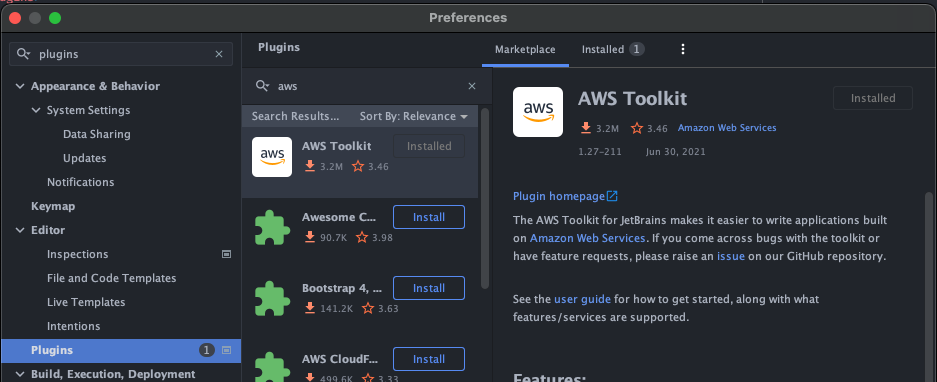
Install the AWS Toolkit for your JetBrains IDE (e.g. for IntelliJ) - find AWS Toolkit in Plugins:
AWS Explorer
Open AWS Explorer view and connect to the account/region where the Depot application is deployed:
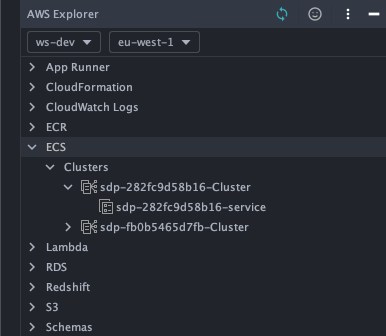
Find the Depot application cluster and service under the ECS subtree.
Role permissions
Role permissions need to be updated to enable cloud debugging. They are enabled via a flag in Depot CDK, or manually via IAM console. Via Depot CDK
Enable cloudDebug flag in the Depot application CDK code, e.g.:
const depotEnvironment = new Environment(this, `DepotEnvironment`, {
  ...
  frontend: { cloudDebug: true },
  ...
});
After deployment this will add/expand necessary policies to corresponding task and execution roles: sdp-xxx-data-role and sdp-xxx-execution-role. Verify correct roles have been added via IAM console as outlined below. Note in -execution-role the existing inline policy is expanded to cover amberwing-sidecar ECR access and cloud-debug-sdp-xxx-application-group CloudWatch log group.
Via IAM console
Necessary policies can be added to the corresponding roles via IAM console.
Task role
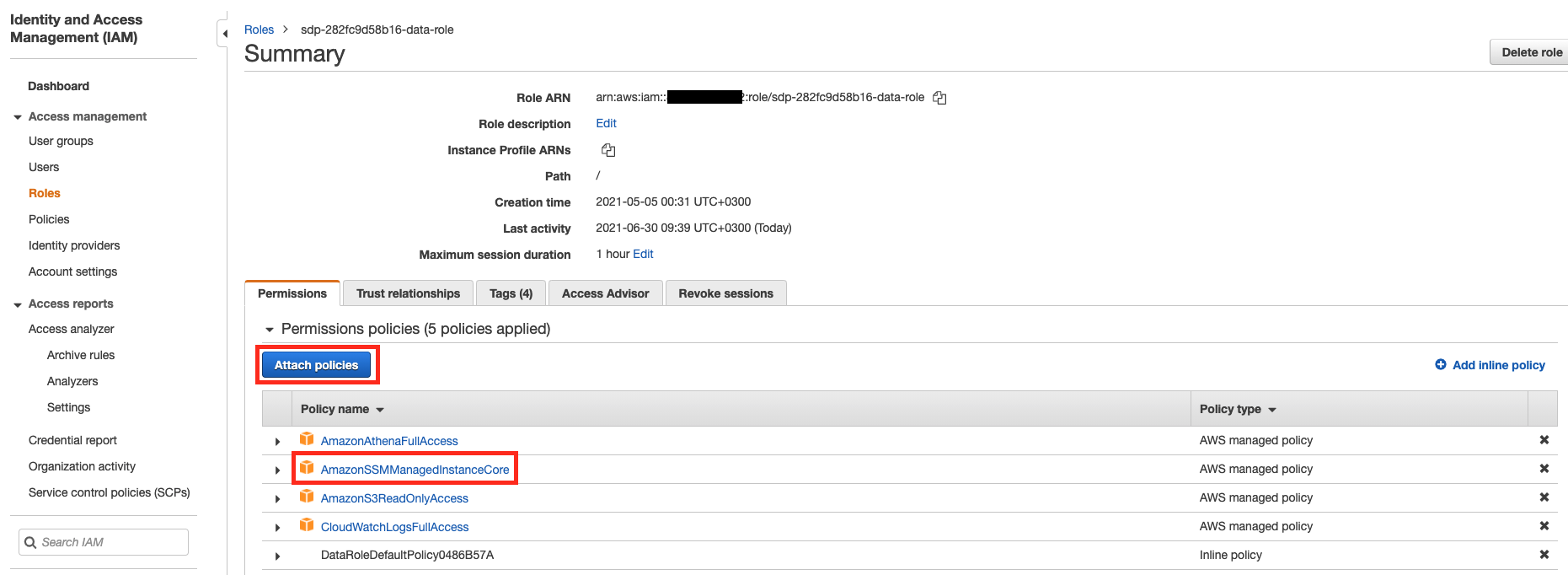
Attach AmazonSSMManagedInstanceCore policy to the task role used by Depot application, i.e. sdp-xxx-data-role:
Task execution role
The Depot application task execution role (i.e. sdp-xxx-execution-role) needs to have its permissions expanded to enable download of amberwing-sidecar Docker image from ECR as well as to create and write to a cloud-debug-sdp-xxx-application-group log group.
The simplest way to achieve that is to attach a default AmazonECSTaskExecutionRolePolicy to sdp-xxx-execution-role (or the inline policy could be updated to add the above permissions):
Enable cloud debugging
Open the stage-depot-platform project in IntelliJ. This project, in particular the depot-connector submodule, creates the Docker image of the Depot application that is deployed to AWS Fargate.
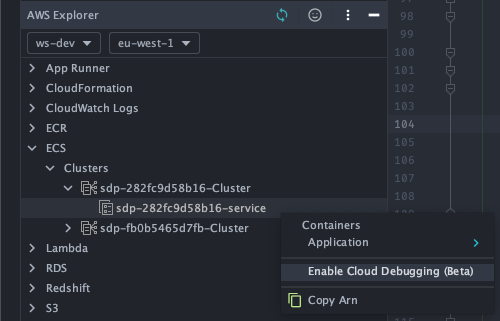
Open AWS Explorer view and locate the service to enable cloud debugging. Right-click on the service to enable the debugging:
When prompted, select sdp-xxx-data-role as the task role:
if the role does not have AmazonSSMManagedInstanceCore policy as outlined above, a warning message “Role does not appear to have the required permissions for cloud debugging” will be displayed.
Confirm that cloud debugging is not being used for production environment - and start the process.
It can take some time for cloud debugging to be setup (a new S3 bucket is being created, a cloud watch log group, and the application is being wrapped, etc). If all succeeds, the message “Successfully enabled debugging on ECS service” is displayed:
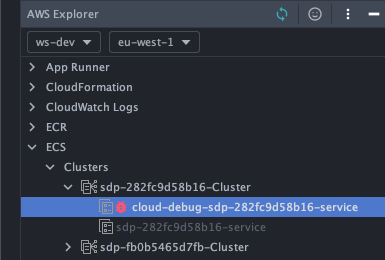
And the cloud debug service is available on the cluster:
Troubleshooting
If cloud debugging is taking too long (or fails), check cloud-debug-sdp-xxx-service on the ECS cluster:
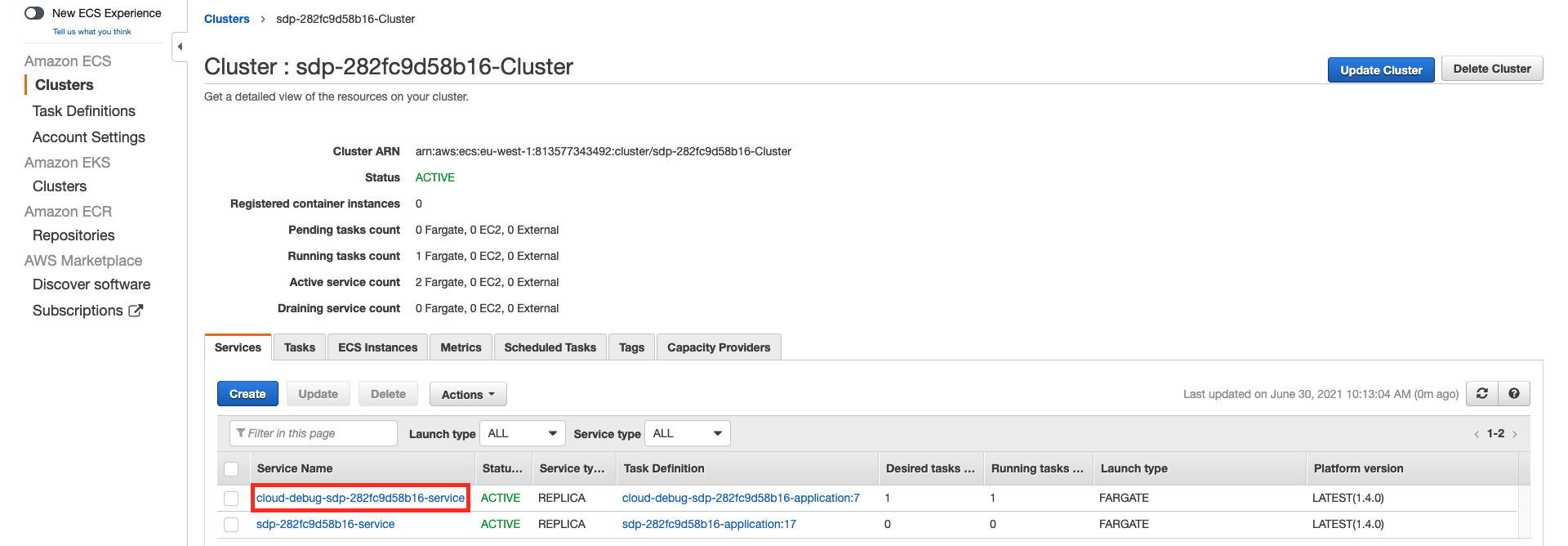
View Tasks > Stopped in the service window to find the reasons of task failures.
Start cloud debugging
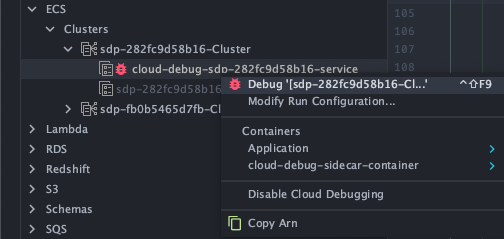
Select Debug.. option by right-clicking the cloud debug service in AWS explorer:
In the debug configuration, set Start Command to:
java -jar /opt/stage/depot-connector.jar
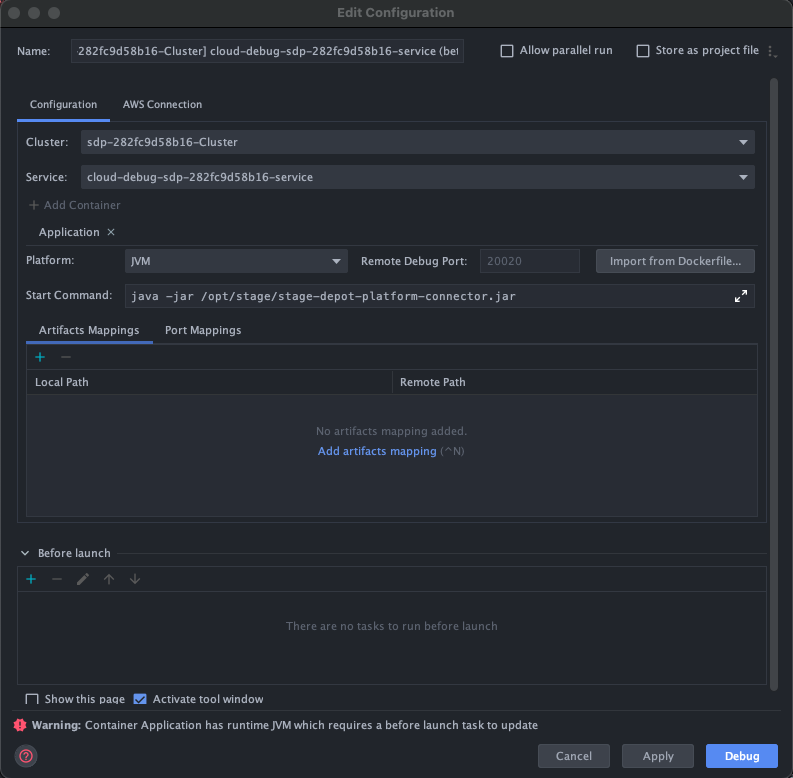
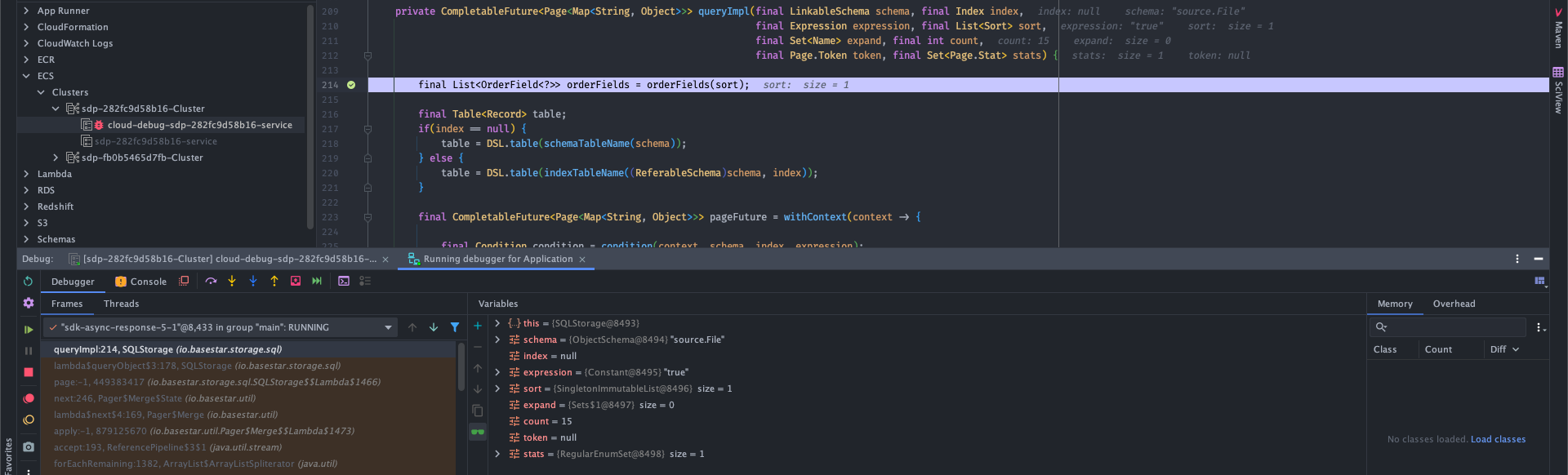
The debugger will connect to the remote application and standard IntelliJ debugging tools can be used as expected.
Disable cloud debugging
Cloud debugging must be disabled before redeploying the application via CDK. Otherwise CDK might not be able to update the resources as they are used by cloud-debugging service.
Disable cloud debugging by right-clicking on the cloud-debug-sdp-xxx-service in AWS Explorer and selecting Disable Cloud Debugging.